EG333 Help FAQ
When you’re new in Bangladesh, quick answers help you sign in, fund your account, and start playing fast. This EG333 Guide walks you through common questions from Dhaka to the rest of the country.
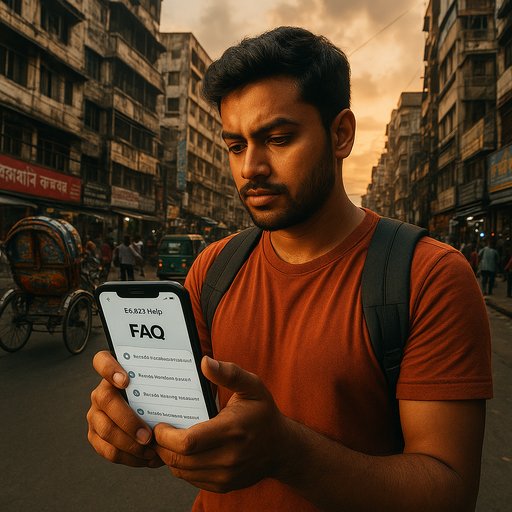 Download EG333 APK
EG333 Account Questions
How do I create and access my EG333 account?
You start by providing a valid email or phone number and choose a strong password. After verification, you can sign in from any device. The EG333 Login experience is designed to be fast and secure, with a simple setup in under 5 minutes.
- Use a valid Bangladesh mobile number for quick setup
- Enable 2-step verification for stronger protection
- Remember your login details; you can recover them anytime
How can I reset my EG333 password if I forget it?
Open the login screen and choose forgot password. We’ll send a secure link to your registered contact. You’ll create a new password in minutes and regain access.
- Use your registered email or phone
- Follow the on-screen steps exactly
- Consider saving a recovery method in Settings
What should I do if I can’t log in from Dhaka or elsewhere?
Check your internet connection first. If the issue persists, verify your device date and time, restart the app, or try another network. For persistent problems, reach our support via chat or email.
- Try both mobile data and Wi‑Fi
- Make sure your device time matches network time
- Keep the app updated to the latest version
How do I view my in‑app balance and recent activity?
Your balance and history are shown in the Account tab. You’ll see recent sign‑ins, funding events, and device notices. This helps you track activity across devices used in Dhaka and beyond.
- Balance updates in real time
- Recent logins by date and device
- Exportable receipts for your records
Are there offers or promotions I can take part in?
We run occasional in‑app perks and limited-time promotions. These are shown in the Promotions area and notifications. You can opt in or skip based on your preferences.
- Offers shown in the Promotions tab
- Promotions are valid for selected games only
- Notifications help you never miss a chance
How do I contact EG333 support for account help?
Use the in‑app chat or the /eg333-contact/ page to reach a support agent. Expect a response within a few minutes during peak hours in Dhaka. We aim to resolve most issues in one conversation.
- Live chat available 24/7
- Email replies within business hours
- Provide your username and recent activity for faster help
What devices and networks work best with EG333?
The app runs on most Android devices and modern iOS hardware. In Bangladesh, 4G works well, while 3G users still enjoy smooth access. Ensure you have enough storage and a stable connection for best results.
- Android 8+ or iOS 12+ recommended
- Stable data connection improves load times
- Low-storage mode keeps performance snappy
How do I update my profile information?
Open Settings in the app, then tap Profile. You can update email, phone, and preferences. Changes sync across devices after a short confirmation window.
- Verify any changed contact details
- Enable two-factor protection for the account
- Review privacy options in one place
Where can I find the EG333 APK and install it?
Tap the Download button to start, or visit the APK page via the link, then allow installation from unknown sources if prompted. Android devices often require a short permission check the first time you install.
- APK file is available for Android devices
- Enable unknown sources in Settings if needed
- Open the APK to install and sign in after install
EG333 Payments Questions
Funding your EG333 balance is quick and local-friendly. In Bangladesh, we support fast, secure methods that fit everyday use in Dhaka and beyond. The EG333 Guide walks you through the steps for smooth funding and quick access to play.
EG333 Games Questions
Discover a range of titles like Aster Live, Boom Legend, Egypt Mystery, Golden Leopard, and W Live. Each game offers a simple start and helpful tips so you can dive in without a long setup. For quick tips, check EG333 App tips and in‑app guides.
EG333 Security and Trust
Your safety is a priority. We use strong encryption, account monitoring, and clear policies so you feel secure while enjoying the app in Dhaka. If anything looks off, our support team is ready to help right away.
In summary, this EG333 Help FAQ is designed to help you move quickly from sign up to playing, with clear steps and practical tips. EG333 Help FAQ aims to make every step simple, and EG333 Login is just a tap away if you need to revisit sign‑in at any time. If you’re browsing for more, the EG333 Guide and EG333 APK paths are your best bets for a smooth Bangladesh experience.
Trust Signals for EG333
Users in Bangladesh report quick access to support, reliable uptime, and clear terms. The EG333 ecosystem is built for Dhaka’s everyday connectivity, with responsive help and transparent policies.
- Friendly, fast support in local time
- Clear privacy and safety practices
- Regular updates based on user feedback
Last updated: May 2026. Published by EG333 Team.